MikroChat
The minimalist, self-hosted chat app for teams who want control over their communication.
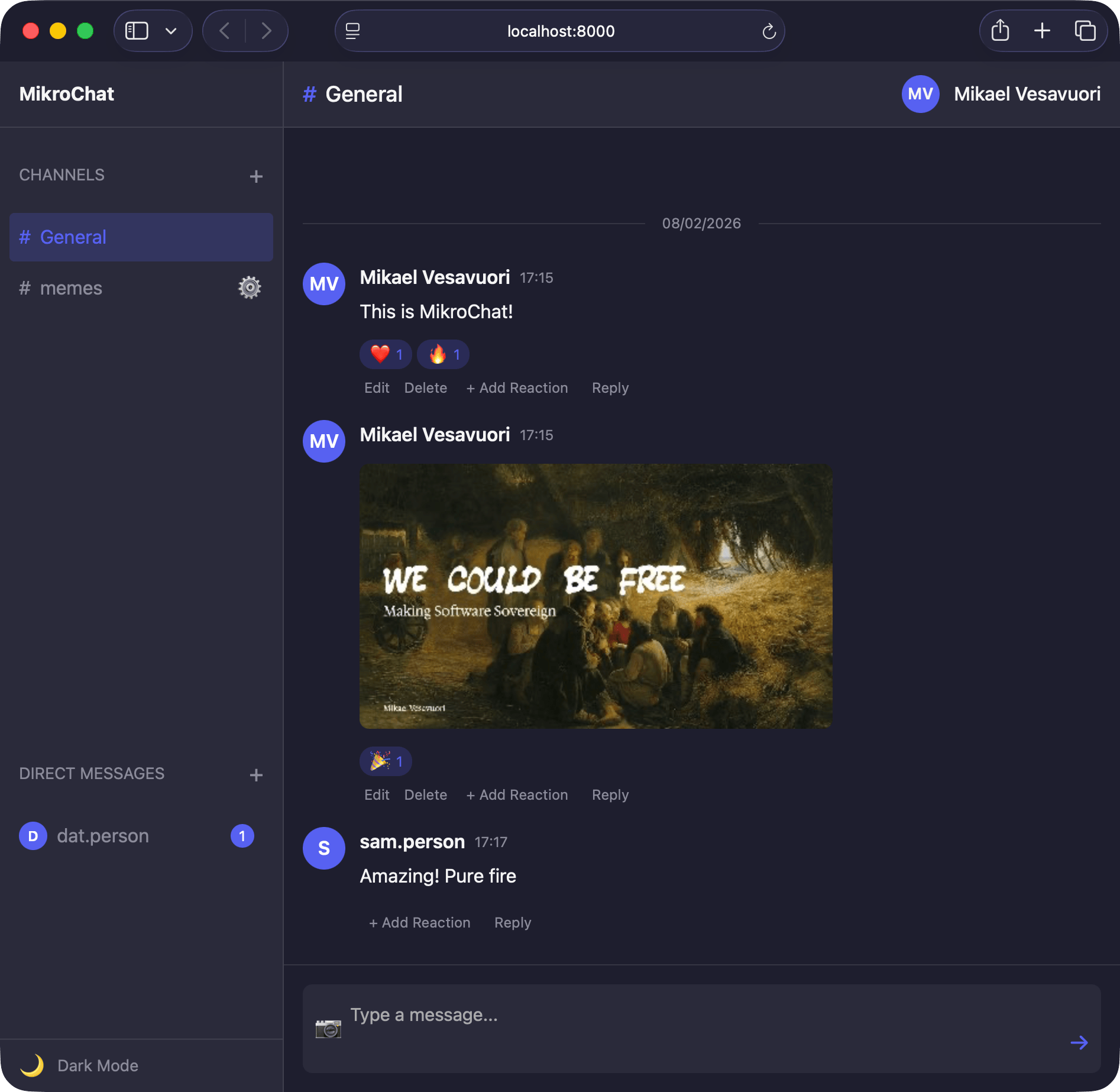
Your team chat, your server.
No expensive per-seat pricing. No vendor lock-in. No distractions. Just a clean, fast chat app that you own completely.
MikroChat gives your team channels, threads, direct messages, and real-time updates without sending your conversations through someone else's servers.
Everything you need
Channel-based messaging.
Organize conversations by topic with text and image support. Keep your team aligned without the noise.
Threaded replies.
Keep discussions focused. Reply to any message in a thread without cluttering the main channel.
Direct messages.
Private conversations between team members, simple and distraction-free.
Encryption at rest.
AES-256-GCM encryption for all stored data. Messages, users, channels, and settings are encrypted on disk.
Flexible authentication.
Dev mode, magic links, passwords, or OAuth 2.0 with Google, Microsoft, GitHub, GitLab, and custom providers.
Batteries included.
Frontend and backend in one package. Minimal dependencies, single-file deployable backend; web app installable as a PWA.
Auth your way
MikroChat supports four authentication modes so you can pick what fits your team.
Dev Mode
Simple sign-in for local development and testing. No email sending required.
Magic Links
One-time login links sent to user email. No passwords to remember or manage.
Password
Email and password login with admin invitations, password reset, and scrypt hashing.
OAuth 2.0
Sign in with Google, Microsoft, GitHub, GitLab, or any custom OAuth provider like Keycloak.
Get started
Start by getting the CLI tool:
curl -sSL https://releases.mikrochat.com/install.sh | bash Follow the instructions, then open http://localhost:8000 and sign in with your configured initial user's email.
Like it? Sponsor!
MikroChat is free and open source under the MIT license.
If MikroChat is useful to your team or organization, consider sponsoring to help keep it maintained and improved.
FAQ
Is this a Slack or Teams replacement?
It can be, for teams that want something simpler and fully self-hosted. MikroChat focuses on messaging, not on being a platform with hundreds of integrations.
How is data encrypted?
All stored data is encrypted with AES-256-GCM using a key derived from your secret via scrypt. Without the encryption key, data is stored unencrypted by default.
What authentication methods are supported?
Dev mode for local testing, magic link (passwordless email), traditional password auth, and OAuth 2.0 with Google, Microsoft, GitHub, GitLab, or custom providers.
Can I use my existing identity provider?
Yes. OAuth 2.0 supports custom providers like Keycloak and Authentik, so you can use whatever identity infrastructure you already have.
What are the system requirements?
Node.js 24+ on Linux or macOS. No external databases, containers, or services needed. MikroChat uses an embedded database.
Does it support real-time messaging?
Yes. MikroChat uses Server-Sent Events for real-time updates. Messages appear instantly across all connected clients.
Can I install it as an app?
Yes. MikroChat is a PWA (Progressive Web App), so you can install it on desktop or mobile with offline read access.
How do I run MikroChat in production?
Use systemd, Docker, or put it behind a reverse proxy like Caddy or nginx for HTTPS. See the deployment guide in the docs.
Can external services post messages?
Yes. MikroChat supports webhooks, so external services can post messages to channels programmatically.
Is this open source?
Yes. MikroChat is licensed under the MIT license. The source code is available on GitHub.